II. Keywords – the Most Important Item in SEO


Keywords are the most important SEO element for every search engine, they are what search strings are matched against. Choosing the right keywords to optimize for is thus the first and most crucial step to a successful SEO campaign. If you fail on this very first step, the road ahead is very bumpy and most likely you will only waste your time and money. There are many ways to determine which keywords to optimize for and usually the final list of them is made after a careful analysis of what the online population is searching for, which keywords have your competitors chosen and above all - which are the keywords that you feel describe your site best.
1. Choosing the Right Keywords to Optimize For
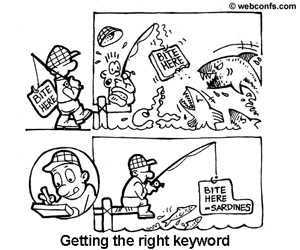
It seems that the time when you could easily top the results for a
one-word search string is centuries ago. Now, when the Web is so
densely populated with sites, it is next to impossible to achieve
constant top ratings for a one-word search string. Achieving constant
top ratings for two-word or three-word search strings is a more
realistic goal.
For instance, If you have a site about dogs, do NOT try and optimize for the keyword "dog" or "dogs". Instead you could try and focus on keywords like "dog obedience training", "small dog breeds", "homemade dog food", "dog food recipes" etc. Success for very popular one-two word keywords is very difficult and often not worth the trouble, it's best to focus on less competitive highly specific keywords.
The first thing you need to do is come up with keywords that describe the content of your website. Ideally, you know your users well and can correctly guess what search strings they are likely to use to search for you. You can also try the Website Keyword Suggestions Tool below to come up with an initial list of keywords. Run your inital list of keywords by the Google keyword Suggestion tool, you'll get a related list of keywords, shortlist a couple of keywords that seem relevent and have a decent global search volume.
When choosing the keywords to optimize for, you need to consider not only the expected monthly number of searches but also the relevancy of these keywords to your website. Although narrow keywords get fewer searches they are a lot more valuable than generic keywords because the users would be more interested in your offerings. Lets say you have a section on your website where you give advice on what to look for when adopting a dog. You might discover that the "adopt german shepherd" keyphrase gives you better results than a keyword like "german shepherd dogs". This page is not of interest to current german shepherd owners but to potential german shepherd owners only. So, when you look at the numbers of search hits per month, consider the unique hits that fit into the theme of your site.
2. Keyword Density
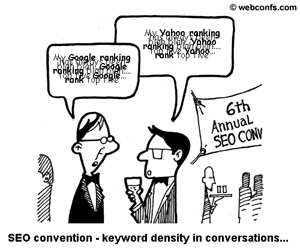
After you have chosen the keywords that describe your site and are
supposedly of interest to your users, the next step is to make your
site keyword-rich and to have good keyword density for your
target keywords. Keyword density although no longer a very important factor in SEO is a common measure of how relevant
a page is. Generally, the idea is that the higher the keyword
density, the more relevant to the search string a page is. The
recommended density is 3-7% for the major 2 or 3 keywords and 1-2%
for minor keywords. Try the Keyword Density Checker below to
determine the keyword density of your website.
Although there are no strict rules, try optimizing for a
reasonable number of keywords – 5 or 10 is OK. If you attempt
to optimize for a list of 300, you will soon see that it is just not
possible to have a good keyword density for more than a few keywords,
without making the text sound artificial and stuffed with keywords.
And what is worse, there are severe penalties (including ban from the
search engine) for keyword stuffing because this is considered
an unethical practice that tries to manipulate search results.
3. Keywords
in Special Places
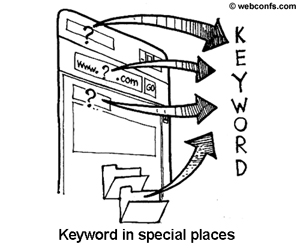
Keywords are very important not only as quantity but as quality as
well – i.e. if you have more keywords in the page title, the
headings, the first paragraphs – this counts more that if you
have many keywords at the bottom of the page. The reason is that the
URL (and especially the domain name), file names and directory names,
the page title, the headings for the separate sections are more
important than ordinary text on the page and therefore, all equal, if
you have the same keyword density as your competitors but you have
keywords in the URL, this will boost your ranking incredibly,
especially with Yahoo!.
a.
Keywords in URLs and File Names
The domain name and the whole URL of a site tell a lot about it.
The presumption is that if your site is about dogs, you will have
“dog”, “dogs”, or “puppy” as part
of your domain name. For instance, if your site is mainly about
adopting dogs, it is much better to name your dog site
“dog-adopt.net” than “animal-care.org”, for
example, because in the first case you have two major keywords in the
URL, while in the second one you have no more than one potential
minor keyword.
When hunting for keyword rich domain names, don't get greedy.
While from a SEO point of view it is better to have 5 keywords in the
URL, just imagine how long and difficult to memorize the URL will be.
So you need to strike a balance between the keywords in the URL and
site usability, which says that more than 3 words in the URL is a way
too much.
Probably you will not be able to come on your own with tons of good suggestions.
Additionally, even if you manage to think of a couple of good domain names,
they might be already taken. In such cases tools like the Tool below can come very handy.
File names and directory names are also important. Often search
engines will give preference to pages that have a keyword in the file
name. For instance http://mydomain.com/dog-adopt.html
is not as good as http://dog-adopt.net/dog-adopt.html
but is certainly better than http://mydomain.com/animal-care.html.
The advantage of keywords in file names over keywords in URLs is that
they are easier to change, if you decide to move to another niche,
for example.
b. Keywords in
Page Titles
The page title is another special place because the contents of
the <title> tag usually gets displayed in most search engines,
(including Google). While it is not mandatory per the HTML
specification to write something in the <title> tag (i.e. you
can leave it empty and the title bar of the browser will read
“Untitled Document” or similar), for SEO purposes you may
not want to leave the <title> tag empty; instead, you'd better
write the the page title in it.
Unlike URLs, with page titles you can get wordy. If we go on with
the dog example, the <title> tag of the home page for the
http://dog-adopt.net can include
something like this: <title>Adopt a Dog – Save a Life and
Bring Joy to Your Home</title>, <title>Everything You
Need to Know About Adopting a Dog</title> or even longer.
c. Keywords in
Headings
Normally headings separate paragraphs into related subtopics and
from a literary point of view, it may be pointless to have a heading
after every other paragraph but from SEO point of view it is
extremely good to have as many headings on a page as possible,
especially if they have the keywords in them.
There are no technical length limits for the contents of the <h1>,
<h2>, <h3>, ... <hn> tags but common sense says
that too long headings are bad for page readability. So, like with
URLs, you need to be wise with the length of headings. Another issue
you need to consider is how the heading will be displayed. If it is
Heading 1 (<h1>), generally this means larger font size and in
this case it is recommendable to have less than 7-8 words in the
heading, otherwise it might spread on 2 or 3 lines, which is not good
and if you can avoid it – do it.
|